
Turn your Bandcamp purchases into an organised music library
After only a few hundred Bandcamp purchases something strange happens: you own more music than you can find. The collection page loads in reverse purchase order, the search is thin, and the albums you actually reach for are buried under everything you bought at 2am during a label sale. Meanwhile your downloads sit in a folder on your HD, often disconnected from the purchase that produced them.
Crates is a music library tool that lets you import your Bandcamp collection, organize it the way you think about music, and have it interact seamlessly with the rest of what you own.
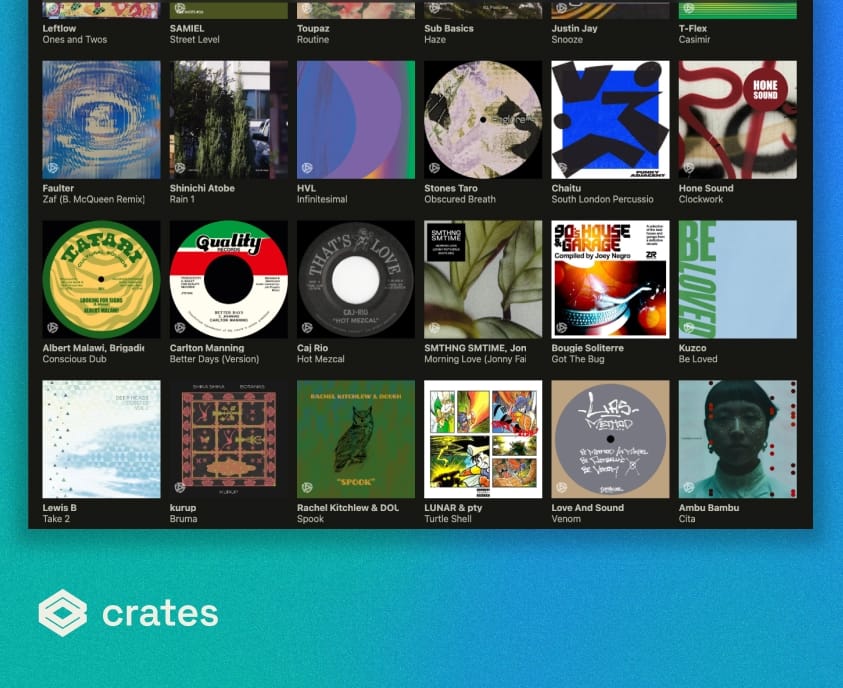
Why a big Bandcamp collection gets hard to use
Bandcamp is a shop and an artist platform first, making it difficult to integrate into your wider collection. The friction shows up in specific ways:
- Your purchases are only reachable through a browser, behind a login.
- They are ordered by when you bought them, not by artist, label, genre or year.
- They sit apart from your local files, so you cannot browse everything you own in one place.
- Downloaded ZIPs land in a Downloads folder and lose their relationship to the purchase.
- Tags and artwork on the downloaded files rely on whatever the artist happened to enter.
While none of that is a problem at fifty albums, at a thousand it is the reason you keep listening to the same twenty.

Connect your Bandcamp account directly
In Crates, open Settings > Accounts > Bandcamp, choose Bandcamp Subsonic, then generate a Subsonic username and password in your Bandcamp fan settings. Enter them in Crates and your purchases import straight away, along with your Bandcamp playlists. Two things make this worth setting up: playback streams directly from Bandcamp at around 250 kbps instead of going through the web widget, and you can leave daily sync switched on so new purchases arrive in your library on their own. Your Subsonic credentials are stored on your own machine, in macOS Keychain or Windows Credential Manager. They are never sent to Crates servers. Crates talks to Bandcamp directly from your computer, and disconnecting removes the stored credentials while leaving your imported tracks in place.
Setup instructions: How to connect to Bandcamp over the Subsonic API.

Or import your collection
Crates imports your Bandcamp collection using the Crates browser extension, available for Chrome and other Chromium browsers, Firefox, and Safari. You pair the extension with your Crates desktop installation once, open your Bandcamp collection page, and click. Your purchased tracks and albums appear in Crates under Online Libraries > Bandcamp. This route brings the richest metadata of the two. Full step-by-step instructions, including the browser-specific setup, are in the knowledge base article: How to import your Bandcamp collection.
The two routes are not alternatives so much as complements, and most collections benefit from both: the account connection keeps the library current, the extension fills in the metadata that makes it browsable. Two limits to know going in. The account connection is in beta, and it currently imports without labels or exact release dates. Neither route imports your wishlist, because Bandcamp does not expose it.

Stream straight away, upgrade to your downloads later
By default Crates plays your Bandcamp purchases from Bandcamp itself, which means you can browse and listen the moment the import finishes without downloading anything. If you connected your account, that stream arrives at around 250 kbps rather than through the web widget. If you want full quality, you download your purchases from Bandcamp as you normally would, turn on Settings > General > Match tunes, and import the downloaded files.
Crates matches them to the Bandcamp entries you already have and switches the default audio source to your local file. One entry per album, playing from the file you own. Some people prefer to work the other way round: import the downloaded files first, enable Match tunes, then run the Bandcamp import. Either order works.

Organise it the way you think about music
Once your collection is in Crates, it behaves like a library rather than a receipt history.
- Crates and tags. Group releases however you actually use them, not by purchase date. A record can sit in as many crates as you like.
- Smart Crates. Save a filter as a live crate that keeps filling itself as your collection grows.
- Proper metadata. Crates pulls release information and artwork from Discogs, MusicBrainz, Apple Music and of course Bandcamp, so labels, catalogue numbers, genres and release dates are actually populated.
- Artist and label pages. Browse by the label that put the record out, which is usually how you found it in the first place.
Your Bandcamp purchases beside everything else you own
Bandcamp is rarely the whole collection. Most people have records they ripped, promos, DJ downloads, older iTunes purchases, and tunes saved from YouTube or SoundCloud. Crates holds all of it in one searchable library, so a search returns what you own regardless of where it came from. Importing your local music does not disturb it. Crates indexes your existing folders in place and preserves your structure exactly as it is. It does not need to copy or move anything. If you later choose to use Actions such as Move to Collection, Crates will reorganize files as part of that workflow, but that is an optional setting you turn on deliberately.

Take it to your phone
Crates’ mobile version is a companion to the desktop app, available for both iPhone and Android. It connects directly to your desktop over your local network – nothing is uploaded to a third-party server. Syncing happens in two stages. First the library structure and metadata copy to your phone, so you can browse your whole collection immediately. The audio files are not copied at that point.
From there you can either stream from your desktop while it is running and reachable, or use Download All on a crate to copy the files to your phone for offline listening. This is where matching your Bandcamp purchases to your downloads pays off a second time. A release still playing from Bandcamp’s stream needs a live connection on the phone, and streamed sources can stop when the screen locks.

FAQ
Entries still playing from Bandcamp’s stream need a connection, and streamed sources can stop when your phone locks. Entries you have matched to your own downloads behave like any other local file: you can download them to the phone with Download All and play them offline. If offline listening matters to you, download your Bandcamp purchases and turn on Match tunes before you sync.